Before you start
- Shot Clock Pro on the phone that runs the game, or the free 10-minute trial.
- The clock open on a screen, with your phone connected as the remote.
- Internet on the streaming computer or device.
Step by step
Open the clock and connect your phone
Open shotclock.online/display on the gym screen or on the streaming computer, and scan the QR code with your phone. The phone is now the remote.
Copy the overlay link
On the remote, open Settings and tap Copy OBS overlay link. The link looks like shotclock.online/overlay/123456, with the room number of your screen. Send it to the streaming computer, or type it there.
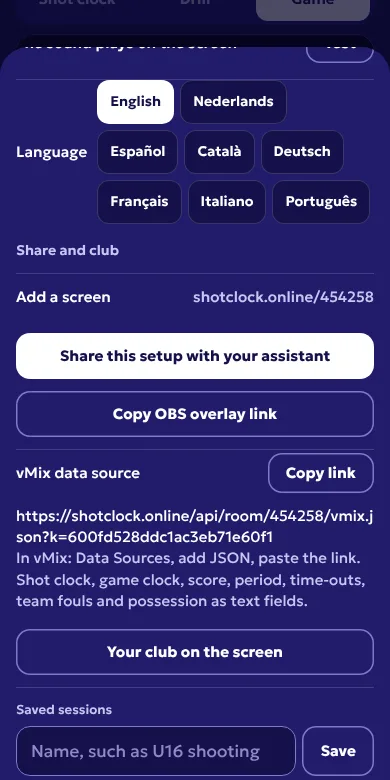
Settings on the remote: the overlay link and the vMix data source. Add a Browser source
In OBS, click + under Sources, choose Browser, pick Create new, name it Shot clock and click OK.
Paste the link and set the size
Paste the link into URL. Set Width and Height to your canvas size, which you find under Settings, Video, Base (Canvas) Resolution. Usually that is 1920 and 1080. Leave Custom CSS as it is: it keeps the background transparent. Click OK.
Check the scene
The bar sits in the bottom left corner, in front of your camera as long as the source is above the camera in the Sources list. Start the clock on your phone and watch it tick on the stream.
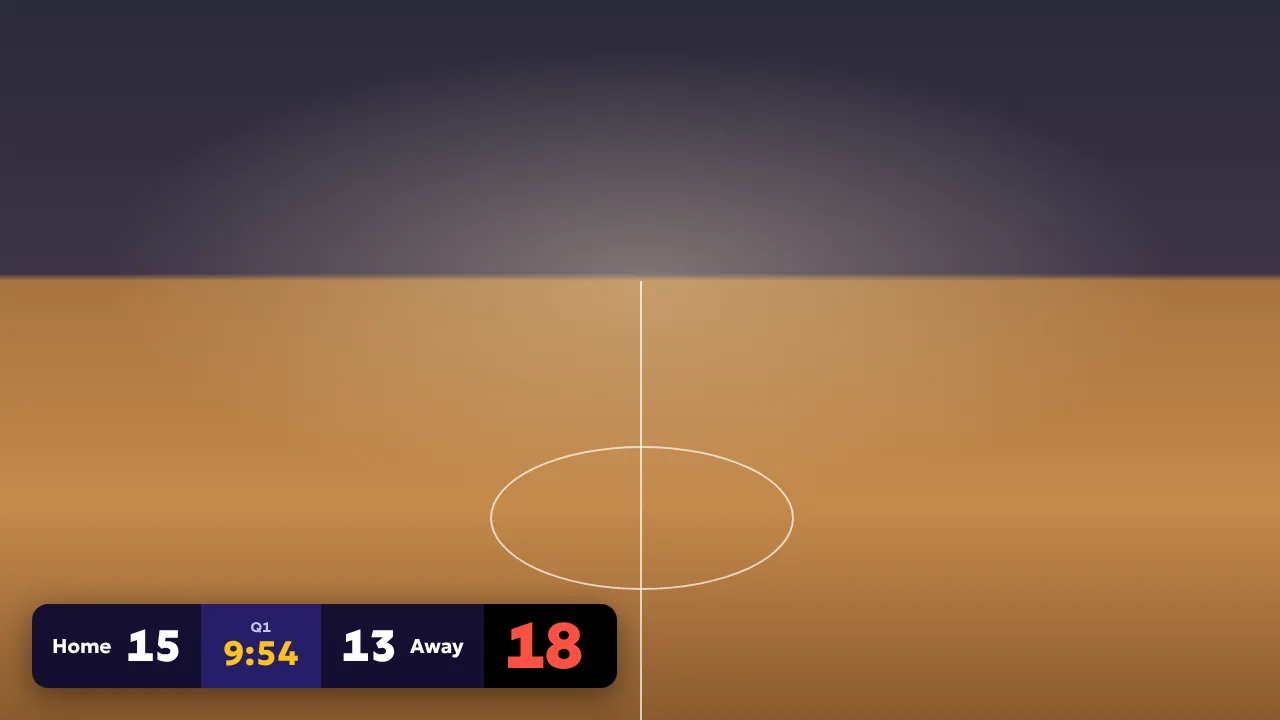
The overlay in game mode, here on a sample background. In your stream the camera is behind it.
Tips
- New match, new clock tab? The room number changes. Open the properties of the browser source and change the six digits at the end of the URL. The rest stays the same.
- The overlay makes no sound, so the buzzer never ends up in your stream audio twice.
- Clock bar empty or stuck? Open the properties and click Refresh cache of current page.
- Want the bar somewhere else? Drag the source in the preview, or use Edit Transform to place it.
Questions
Does it work in OBS on a Mac?
Yes. The browser source is part of OBS Studio on Windows, macOS and Linux. Nothing to install.
Does the streaming computer have to be the shot clock screen?
No. The overlay works on any computer with internet. The clock can be on a TV in the gym while OBS runs on a laptop in the stands.
Can the person running the stream change the clock?
No. The overlay link only reads. It cannot start, stop or reset anything.
Is the overlay free?
The overlay is part of Shot Clock Pro. The shot clock itself is free. You can try Pro once for 10 minutes on your phone, which is enough to set up OBS and test it.
Other streaming software
OBS Studio, vMix, Streamlabs and YoloBox are trademarks of their owners. Shot Clock is not affiliated with them.