Before you start
- Shot Clock Pro on the phone that runs the game, or the free 10-minute trial.
- The clock open on a screen, with your phone connected as the remote.
- Internet on the streaming computer or device.
Step by step
Open the clock and connect your phone
Open shotclock.online/display on the gym screen, a laptop or a tablet, and scan the QR code with your phone. The phone is now the remote.
Find the overlay link
On the remote, open Settings: Copy OBS overlay link gives the link for the YoloBox too. It is short, shotclock.online/overlay/ and the room number of your screen, so you can type it.
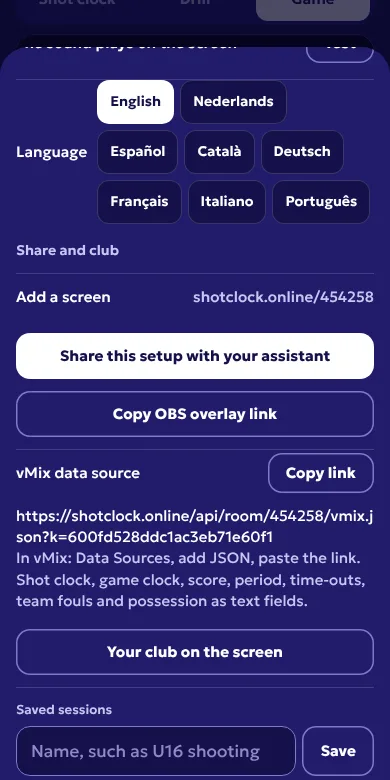
Settings on the remote: the overlay link and the vMix data source. Open Web URL Overlays
On the YoloBox, tap Overlays, choose Web URL Overlays and tap Customize.
Type the link and set the size
Type the link into the URL field. Start with a width of 1920 and a height of 1080, and change Scale if the bar is too big or too small. Tap Done.
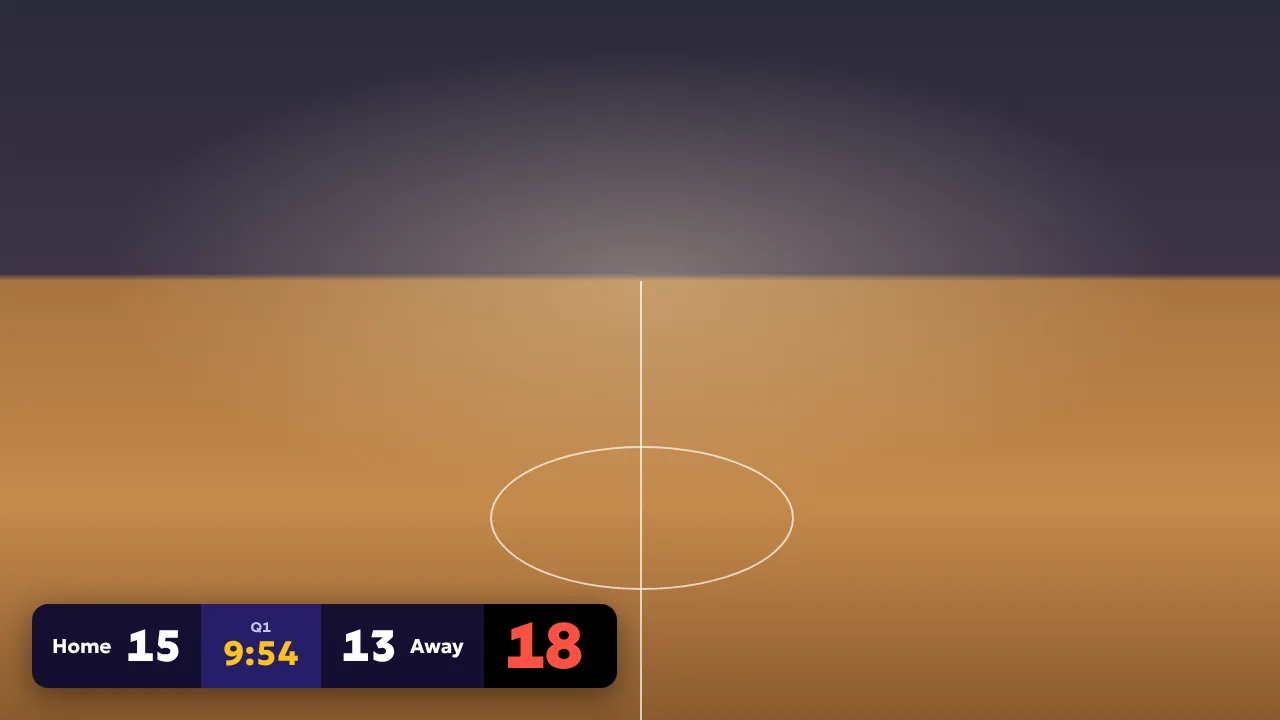
The overlay in game mode, here on a sample background. In your stream the camera is behind it.
Tips
- The YoloBox needs internet for the overlay, the same connection it streams on.
- New match, new clock tab? The room number changes. Edit the overlay and change the six digits.
- Streaming in 720p? Set the width to 1280 and the height to 720, and lower Scale if the bar looks too big.
Questions
Which YoloBox models can show it?
Models with Web URL Overlays, such as the YoloBox Pro, Ultra and Mini. If your menu has Web URL Overlays, it works.
Do I need a computer at the game?
You need one screen for the clock: a laptop, a TV with a browser or a tablet. The YoloBox shows the overlay itself.
Is the overlay free?
The overlay is part of Shot Clock Pro. The shot clock itself is free, and you can try Pro once for 10 minutes on your phone.
Other streaming software
OBS Studio, vMix, Streamlabs and YoloBox are trademarks of their owners. Shot Clock is not affiliated with them.